Polars and scan_csv: open a client's multi-gigabyte file without the freeze you get with pandas
Running read_csv on a large file at a client's office, then watching your laptop lock up, is embarrassing. Lazy reading helps you avoid it.

In brief
- The pandas documentation itself acknowledges that data taking up a significant share of RAM is already hard to handle, because many operations create intermediate copies.
- Polars' scan_csv and scan_parquet read lazily, so filters and column selection are applied at the file-reading step.
- The streaming engine runs queries in batches, handles data larger than RAM and, according to Polars, is also faster than the in-memory engine.
Picture your first working session with a logistics client. They send a folder of several dozen CSV files, a few gigabytes in total, and ask: which warehouse had the most late deliveries last month? You open a notebook and type pd.read_csv. The laptop fan roars, the cursor spins endlessly, and the whole room is waiting for your answer.
This is not a sign that you are bad at your job. It is the limit of eager reading: load all the data into memory, then start processing.
Polars takes a very different approach: plan the query first, read the data afterwards. For an FDE, this is the skill that lets you answer the client during the meeting rather than promising an answer next week.
Why does pandas collapse before a file is as large as RAM?
The official pandas documentation says plainly that working with data larger than memory is hard. It also acknowledges that data occupying only a significant fraction of RAM is already difficult to manage, because some pandas operations have to create intermediate copies.
A 4 GB file on a 16 GB machine can therefore exhaust memory after a few transformations.
pandas has its own workarounds. Reading only the columns you need cuts memory to about a tenth in an example from the pandas documentation, but not every format supports this.
You can also read in chunks, though the pandas documentation notes that operations such as groupby are much harder to do chunk by chunk. And “which warehouse was latest” is exactly a groupby.
Lazy reading means reading less
Polars describes itself as a high-performance DataFrame library for Python and Rust, with a core written in Rust. The difference that matters for an FDE is lazy mode. The scan_csv function reads CSV lazily and accepts many files at once through a glob pattern such as data/*.csv. Beyond CSV, Polars has scan_ functions for IPC, Parquet and JSON.
When you call scan_csv, Polars does not yet load all the data into memory. Instead it records what you want to do as a query plan. That lets the optimiser apply predicate pushdown: moving filter conditions as early as possible, right down to the file-reading step.
It also applies projection pushdown: reading only the columns that are actually needed. The scan_csv documentation says this mechanism can reduce the memory required.
The client’s question, written as a query
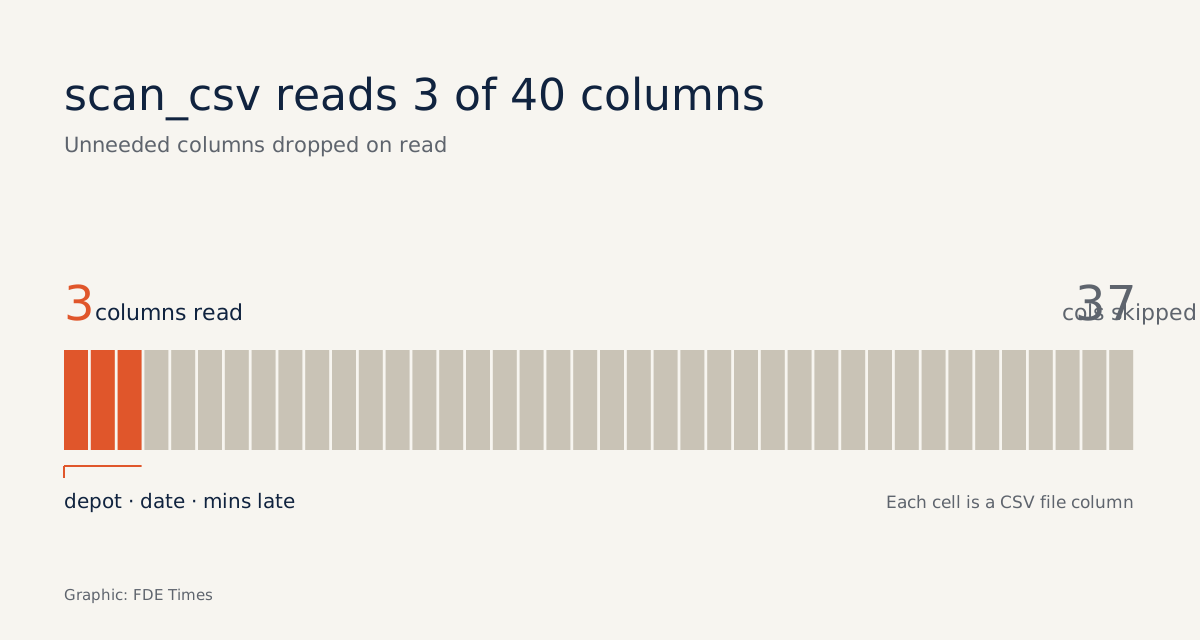
Back to the question about late warehouses. Suppose each file has 40 columns but you need only three: warehouse, delivery date and minutes late. Suppose also that “last month” is September 2026 and the date column is stored as a YYYY-MM-DD string.
import polars as pl

q = (
    pl.scan_csv("deliveries/*.csv")          # only builds a plan, nothing fully loaded yet
    .with_columns(pl.col("delivery_date").str.to_date("%Y-%m-%d"))
    .filter(
        pl.col("delivery_date").is_between(pl.date(2026, 9, 1), pl.date(2026, 9, 30))
    )
    .select(["warehouse", "delivery_date", "minutes_late"])
    .group_by("warehouse")
    .agg(pl.col("minutes_late").mean().alias("avg_minutes_late"))
    .sort("avg_minutes_late", descending=True)
)

result = q.collect(engine="streaming")     # this is when it actually runs
Two small details decide whether the answer matches the question. The filter has both a lower and an upper bound, so it keeps exactly one month rather than “September to date”. The date column is converted to a date type before comparison, so a row written as 2026-9-5, or with a time appended, does not silently slip through a string comparison.
The rest relies on the two mechanisms described above. Projection pushdown skips the other 37 columns at the reading step. Predicate pushdown drops rows outside September before they go any further, and the final result is one row per warehouse, small enough for a slide.
Parquet lets you skip whole pages of data
If the client hands over Parquet, things get easier still. scan_parquet lazily reads Parquet files stored locally or in the cloud, and pushes filters and column selection down to the reading step just as scan_csv does. The difference is that Polars can read the statistics stored in Parquet files, so it can skip pages of data that cannot satisfy the filter.
So if the engagement runs for several weeks, an early task worth doing is converting the client’s raw CSV to Parquet once:
pl.scan_csv("deliveries/*.csv").sink_parquet("deliveries.parquet")

# from here on, every new question starts with:
q = pl.scan_parquet("deliveries.parquet")
From then on, each new question reads only the relevant data instead of rescanning all the raw CSV.
When the data really is larger than RAM
Lazy reading helps you read less, but at some point the part you need may still be larger than memory. That is the job of the streaming engine: Polars runs the query in batches, which lets it process data that does not fit in RAM.
The Polars documentation also claims this engine is faster than the in-memory engine, not merely lighter on memory. You should still measure on the client’s real data before promising anything about speed.
Polars has limits, and it is worth knowing them up front. Its benefits depend on writing queries that give the optimiser room to work. Polars is also not a rewrite of pandas, so the pl.col(...) expression syntax takes time to get used to.
Which mistakes wipe out the benefits of lazy reading?
Most early mistakes with Polars come not from the library but from habits carried over from pandas. The table below lists the ones to check for before running a query on client data.
| Common mistake | Consequence | Fix |
|---|---|---|
Calling collect() right after scan_csv and filtering afterwards |
The whole file is loaded into memory, exactly as with pandas | Write all the filter, select and group_by steps, then collect |
Using read_csv out of habit |
There is no plan to optimise | Switch to scan_csv or scan_parquet |
| Filtering “last month” with only a lower bound | Data from the current month gets mixed in | Use is_between with both ends |
| Comparing dates as strings | Rows with inconsistent formats are filtered wrongly without any error | Convert the column to a date type before filtering |
| Rescanning raw CSV for every question | Every run rereads all the data | Convert to Parquet once at the start of the engagement |
What to learn first
Start with the lazy mindset: understand how scan_ differs from read_, filter and select early, and collect only at the final step. Then learn Parquet and streaming. When applying for jobs, do not just write “knows Polars” on your CV.
Write a line with numbers instead, for example how many gigabytes you processed on a machine with how much RAM, and how far peak memory fell, then put the comparison notebook on GitHub.
A comparison with concrete measurements shows whoever reads your CV that you have actually done the work, which a list of keywords struggles to prove.
Your laptop does not need to be more powerful. You just need the habit of reading only the data the client’s question requires.
Was this article useful?
Thanks for the feedback!