The job you handed over has stopped running, and nobody knows
Healthchecks.io doesn't wait for an error: it raises the alarm when a scheduled job goes quiet past its deadline, catching the failures logs never record.
In brief
- Healthchecks.io alerts you when a job doesn't ping on time, so it catches jobs that have died outright.
- To start, chain a single curl command after the job with &&, and add a grace time to avoid false alarms.
- The project is open source under the BSD 3-clause license, and the free plan monitors 20 jobs.
Most monitoring tools wait for an error signal. Healthchecks.io works the other way round: according to the service’s homepage, when your job fails to ping on time, it sends you an alert. The difference sounds small, but it catches the hardest kind of failure to spot on a client site: a job that has died outright, with nobody left listening for it.
For an FDE, this risk is real. You write a data sync script, a backup cron or a nightly job that recomputes embeddings, hand it over and move on to the next project. Three weeks later the server reboots, the crontab is lost or a credential expires, and the first person to notice is the client, when the numbers on the dashboard stop moving.
Logs and error-based alerts can’t help here, because a job that never runs never produces an error. That is why a “dead man’s switch” tool belongs in your kit.
A very simple mechanism
According to the Healthchecks.io documentation, the service listens for HTTP requests, called pings, from cron jobs and scheduled tasks. Each check has its own unique URL. You declare the expected schedule, the job calls that URL every time it finishes, and the service simply keeps time.
The second parameter to understand is grace time. The documentation defines it as the additional waiting period before an alert is sent, counted from the moment a check becomes late. Set it too short and every job that runs a few minutes slow triggers a false alarm. Set it too long and you lose the very advantage of knowing before the client does.
One crontab line is enough to start
The documentation on cron job monitoring gives a pattern for a backup script. Applied to a data sync job that runs at 02:00 every night, the crontab line looks like this:
0 2 * * * /opt/sync/run.sh && curl -fsS --retry 5 -m 10 -o /dev/null https://hc-ping.com/your-check-uuidThe most important detail is the &&: curl runs only if run.sh exits successfully. If the script fails, no ping is sent, and to Healthchecks.io that is silence too. So this pattern catches both a job that never ran and a job that ran but broke, without a single extra line of code.
Every curl flag has a reason. -s makes curl silent, but the documentation notes that it also hides error messages, so -S is added to turn them back on. -m 10 caps the wait time, and --retry 5 allows retries so that one flaky network moment does not become a false alarm.
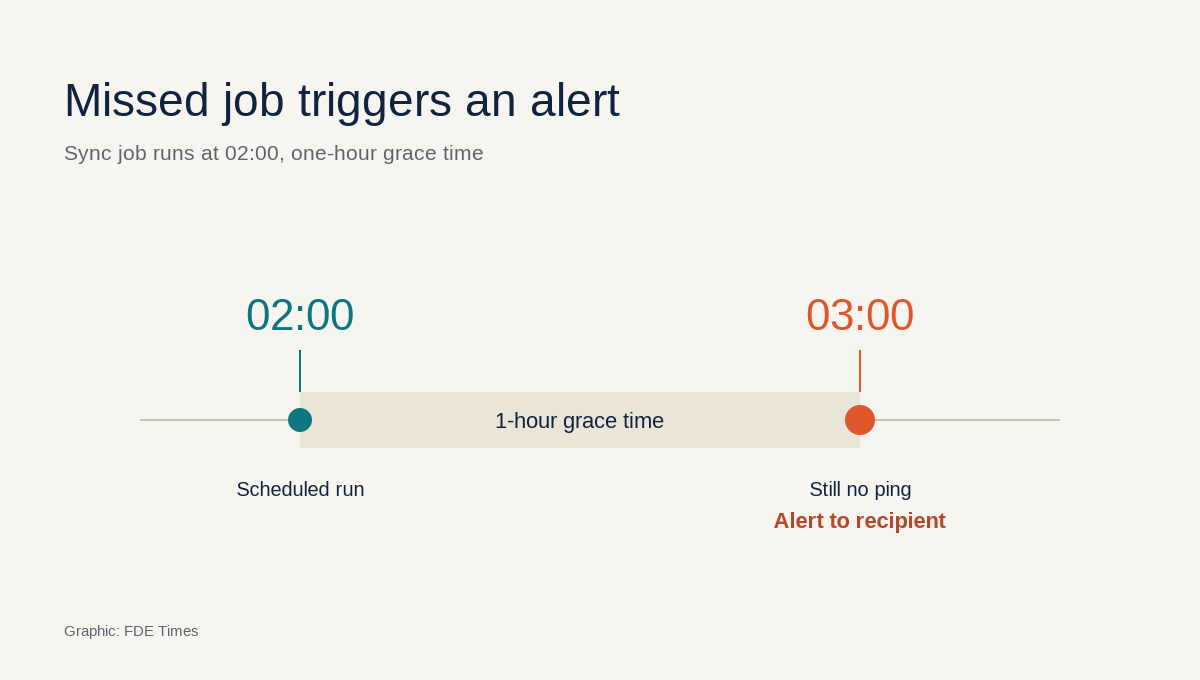
Back to the sync job: you set a daily schedule and a one-hour grace time. If there is still no ping by around 03:00, an alert goes to whoever is configured to receive it. You find out that same night, rather than weeks later when the client asks why the data hasn’t updated.
Knowing when a job fails and how long it runs
A success ping answers only one question: did the job finish? The documentation lets you append /start, /fail or /<exitcode> to the base URL to signal a start or a failure.
| URL called | What it tells you |
|---|---|
| Base URL | The job finished |
Base URL + /start |
The job started, which lets you see how long it runs |
Base URL + /fail |
The script is actively reporting that the job failed |
Base URL + /<exitcode> |
Sends the script’s exit code directly |
A sensible approach is to call /start before running the script, then send the exit code $? to the URL. For a client’s data sync job, run time is often the earliest warning sign: a job that used to finish in 5 minutes and now takes 50 often signals a bigger problem ahead.
Limits to spell out to the client
It follows from this mechanism that Healthchecks.io knows only the signals the script sends it. It cannot tell whether the output is any good: whether the backup file opens, or whether the data table has all its rows. If the script exits with code 0 despite an empty result, the check stays green, so you need to verify the output inside the script before pinging.
The second question is about the vendor. The about page says the service launched publicly in July 2015 and is run by SIA Monkey See Monkey Do, currently a one-person company. An enterprise client’s security team may ask about this, and also about why internal servers have to call out to the internet.
The way out lies in the source code. On GitHub, the project is licensed under BSD 3-clause and can be self-hosted. You can propose running an instance inside the client’s own infrastructure, which spares you the argument over opening the firewall.
What to learn before taking it to a client
The Hobbyist plan monitors 20 jobs for free and requires no credit card, enough to practice on your personal scripts. Learn in this order: the ping chained with &&, choosing a grace time, then /start and exit codes. Finally, switch a job off as a test to make sure the alert actually reaches someone.
On the client site, turn this into a table in the handover document. One row per job, with the job name, schedule, check URL, grace time, alert recipient and the date of the last switch-off test. That table is also worth bringing up in FDE interviews, because it shows you treat post-handover operations as part of the product.
A good handover does not mean the system never breaks. It means that when it does break, the client is not the first to know.
Was this article useful?
Thanks for the feedback!