Why FDEs should take Kaggle's Advanced SQL course backwards
The course has four short lessons, and only the last one keeps a revenue figure from tripling before it reaches the client's meeting room.
In brief
- The course has four lessons: JOIN/UNION, analytic functions, nested data and efficient queries
- Window functions keep every row intact, which suits customer event data well
- The material on N:N JOINs and dry runs is the most valuable part for an FDE
In the fourth lesson of its Advanced SQL course, Kaggle Learn warns that one kind of JOIN can produce a table with far more rows than either of the tables it started from. That is the N:N JOIN. Miss it, and the number you bring to a client meeting may have been wrong from the moment you wrote the query.
The course lives at kaggle.com/learn/advanced-sql, is offered by Kaggle Learn and runs on BigQuery. It has just four lessons: JOIN and UNION, analytic functions, nested data, and efficient queries.
For an FDE, those four lessons map almost exactly onto the first week at a client. You combine tables from several systems, compute metrics for each end customer, unpack nested JSON columns and run queries on a warehouse where someone is paying by the volume of data scanned.
Where does merging data from several sources go wrong?
Lesson 1 revisits the foundations: JOIN combines results horizontally across tables, while UNION stacks columns vertically. That sounds obvious, but the detail worth keeping is UNION’s rule: the two columns must share a data type, though their names may differ.
At a client, this shows up when you merge orders from two systems. One stores order_id as a number, the other as a string; the UNION fails, and your job is to decide where to cast. Different column names cause no trouble, so don’t waste time renaming before you have checked the types.
Window functions keep every row
Lesson 2 deserves the slowest reading. Unlike aggregate functions, analytic functions return a value, which may differ, for every row of the original table. BigQuery’s official documentation defines them the same way: they compute over a group of rows and return one result per row.
Every analytic function has an OVER clause, which defines the set of rows for each calculation, and PARTITION BY inside it splits the table into groups.
Add LAG() and LEAD() to fetch the value from the previous or next row, and you have the tools for a question that comes up constantly with event data: how much time passes between each user’s logins?
The answer is simply LAG(event_time) OVER (PARTITION BY user_id ORDER BY event_time), then a subtraction. No self-join, no lost rows, and the result can still be joined to the event’s other columns.
Nested data is the norm
Lesson 3 explains that nested columns have the type STRUCT (or RECORD), while each value of a repeated field is an ARRAY, an ordered list of values of the same type. To flatten them, use UNNEST().
Application logs, analytics events and API payloads that clients pour into their warehouses usually take this shape. Knowing UNNEST means knowing how to turn “one order containing five products” into five rows you can count. But that very flattening step leads straight into the trap in lesson 4.
The last lesson is the one that pays
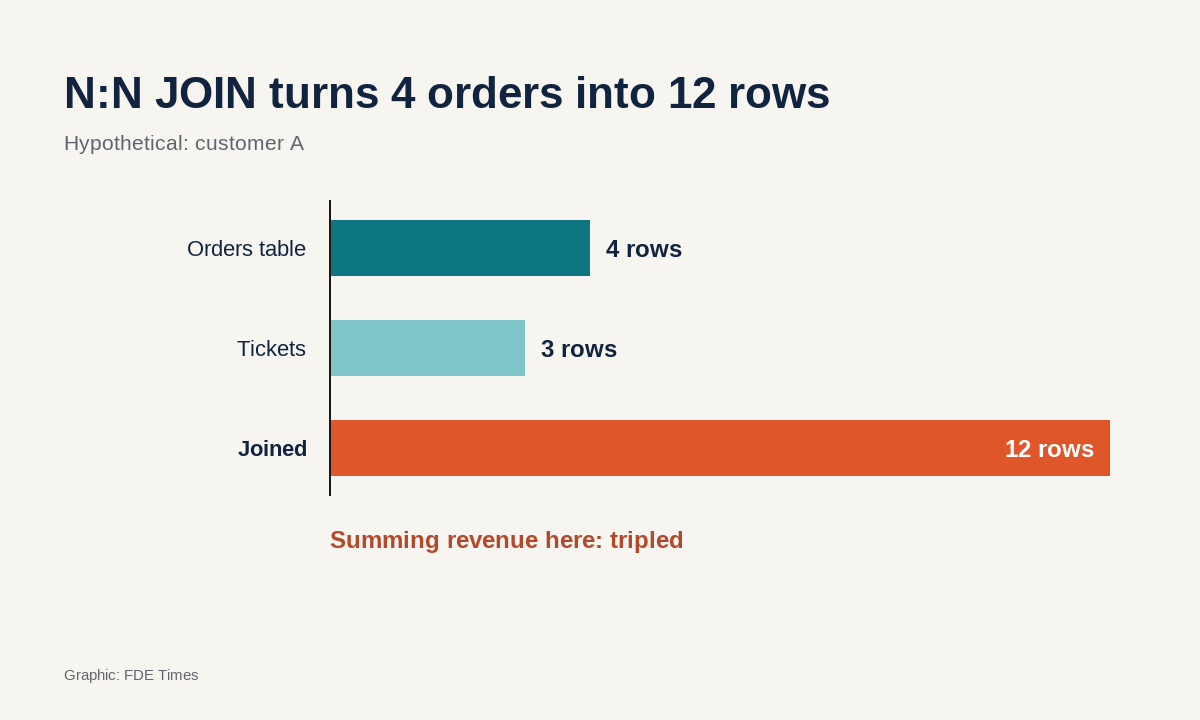
Take a hypothetical example. Customer A has 4 orders and 3 support tickets; you JOIN both tables on customer_id to build a combined report. The result has 12 rows for customer A, and if you sum order values on that table, revenue is tripled.
This is exactly the N:N JOIN the course warns about. The defense is simple: aggregate each table to one row per customer before joining, and always count rows before and after every join.
Lesson 4 also teaches the dry run, which shows how much data a query will scan without running it, and advises against SELECT *. BigQuery’s official optimization guidance says the same: query only the columns you need. On a client’s warehouse, that is basic courtesy.
Who should take it, and in what order?
If you already write SELECT, WHERE and GROUP BY fluently, the course fills the gap between “knowing SQL” and “daring to run SQL on someone else’s real data”. Anyone with a few years as a data engineer may need only lessons 2 and 4.
The order is worth flipping: do lesson 4 first to build the reflex of checking row counts and cost, then go back to lessons 1 to 3. Three ideas are worth keeping for the long run: UNION’s data type rule, how analytic functions return a result for each row without collapsing any, and the N:N JOIN trap.
For your career, don’t write “completed the Advanced SQL course” on your CV. Write something more specific instead, such as finding a report inflated by a JOIN and fixing it, or cutting the data scanned by dropping SELECT *.
Before a technical interview, practice explaining the 4-orders-and-3-tickets example out loud. Showing why the figure tripled and how you fixed it will persuade more than any certificate.
Everything else in the project, whether agents, pipelines or demos, rests on the first query you run at the client. If that query counts wrong, everything downstream is wrong too.
Was this article useful?
Thanks for the feedback!
7 sources
- Learn Advanced SQL Tutorials | Kaggle
- Kaggle Learn Advanced SQL, tutorial 1 (learntools tut1.ipynb)
- Kaggle Learn Advanced SQL, tutorial 2 (learntools tut2.ipynb)
- Kaggle Learn Advanced SQL, tutorial 3 (learntools tut3.ipynb)
- Kaggle Learn Advanced SQL, tutorial 4 (learntools tut4.ipynb)
- Window function calls | BigQuery | Google Cloud Documentation
- Optimize query computation | BigQuery | Google Cloud Documentation