Workato Agent Studio for FDEs: building genies on the customer's existing systems
At a customer that already runs Workato, the first agent you build needs no new integrations. It calls the workflows already in production, and the documentation spells out several limits you need to plan around.

In brief
- In Workato, an agent is called a genie. Genies live in Agent Studio and act through skills, which are workflows that come with a descriptive prompt
- A genie reads the skill prompt to decide whether to call the skill, so this is the part an FDE must write most carefully
- Plan for the limits: verified user access cannot be combined with Assign task to genie, and a knowledge base returns only 10 documents per query
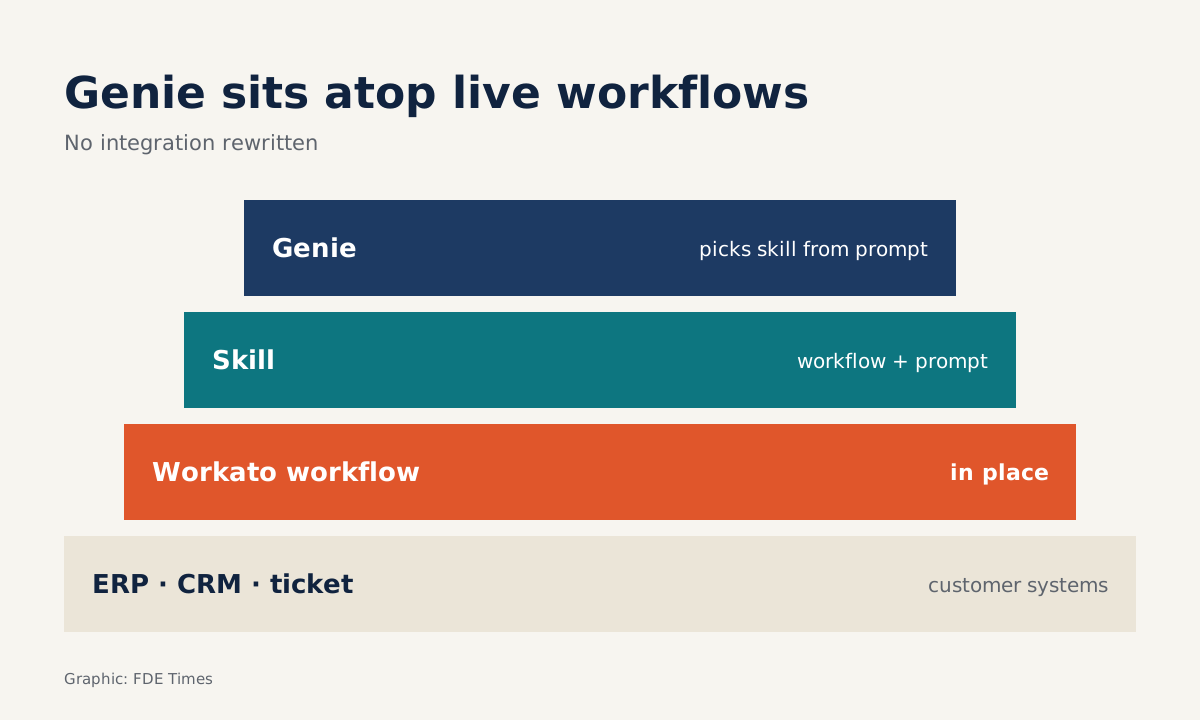
According to SiliconANGLE, Vijay Tella, Workato’s chief executive, said the company has used its own Genies to automate more than 100 internal workflows. The figure is interesting less for its scale than for what it shows about how Workato thinks about agents: they do not replace integrations, they sit on top of the ones already in place.
For an FDE, that is good news. Picture a customer that has already connected its ERP, CRM and ticketing system through Workato. When they ask for “an agent”, the first job is not to build new infrastructure. It is to turn the workflows already running into actions an agent can call.
Genies, skills and knowledge bases: the three pieces to understand
Workato’s documentation describes Agent Studio as a central registry for all of an organisation’s agents. Agents built there are called genies. Workato’s platform page calls it a low-code studio for designing, testing and deploying agents, grounded in the company’s own systems, logic and business processes.
Genies act through skills. Each skill is a workflow the agent can call, paired with a prompt. The documentation is explicit that the agent reads this prompt to decide whether to call the skill for a given request.
The third piece is the knowledge base, a store of documents the genie draws on when it answers. One knowledge base can be shared by several genies, even when those genies sit in different projects.
According to SiliconANGLE, the August 2025 update to Workato ONE introduced Agent Studio along with a set of role-based Genies, and added support for the Model Context Protocol.
The current documentation says an MCP server can expose skills as tools for external AI clients to call. A skill built once can therefore serve both genies inside Workato and the customer’s own agents running elsewhere.
A minimal example: an IT support genie
Suppose the customer already has two Workato workflows: one unlocks accounts in the identity system, the other creates tickets. They want employees to ask in plain language instead of filling in forms.
You build a genie with two skills, and the part most worth the effort is the prompt. A weak prompt such as “Unlock account” makes it easy for the genie to call the skill by mistake when someone is only asking about the password policy. A better prompt reads like a short contract:
Skill: Unlock account

When to call:
- The user reports that THEIR OWN account is locked and wants it unlocked.

When NOT to call:
- The user asks about password rules or policy.
- The user asks to unlock someone else's account on their behalf.

Required input:
- The user's company email. If it is missing, ask for it before calling the skill.
Policy questions take a different path: the knowledge base answers and no skill is called. On this path there is one number to remember: each query returns only the 10 most relevant documents.
Say the customer loads 500 overlapping wiki pages. Three outdated versions of a policy could then crowd the current one out of those 10 results. Cleaning up and splitting documents before loading them matters as much as writing the prompts.
Access rights are where real deployments break most easily
The account-unlock skill should not run under a service account with power over everyone. Workato offers verified user access: each user authenticates with their own credentials when the skill runs, so the skill can do only what that person is allowed to do. Raise this with the customer’s security team from the start.
That choice comes with a constraint. According to the Agent Studio FAQ, a genie using skills with verified user access cannot be used with the Assign task to genie action.
The documentation also notes that a genie with an approval step cannot run fully autonomously. A task meant to run overnight will stop until someone approves it, so put approval steps only where the customer genuinely needs a human check.
If you plan to design an orchestrating genie that hands work to other genies, check these constraints before promising anything to the customer.
What to learn first
Do not start with agents. Get solid at building ordinary Workato recipes first: triggers, connectors, error handling. A skill is only as good as the workflow beneath it. Then practise writing skill prompts using the template above, and test them with a set of questions that includes some deliberately misleading ones.
For your career, a CV line such as “turned existing Workato workflows into agent skills that run under each user’s own permissions” says far more than the words “AI agents”.
When reading FDE job descriptions at companies that sell to enterprises, look for terms such as iPaaS, Workato, MCP or identity-system integration. They signal that the work leans heavily on integration, not only on models.
Enterprise agents are, in the end, still a problem of integration and permissions with a language layer on top. The FDE who understands the layer underneath is the one customers call back.
Was this article useful?
Thanks for the feedback!