Review your API against the OWASP API Top 10 before the client's security team does
The top vulnerability on the OWASP list can be exploited simply by changing an ID in a request, and you can check for it yourself before the client's security team does.

In brief
- BOLA ranks first in the OWASP API Top 10 2023 and can be exploited just by changing an object ID in a request, so run two-account tests early.
- Inventorying hosts, retiring old API versions and keeping production data out of staging (API9) should come before writing more tests, because flaws here chain easily with others.
- SSRF (API7) and Unsafe Consumption (API10) are often missed because they sit where your API calls out to other systems.
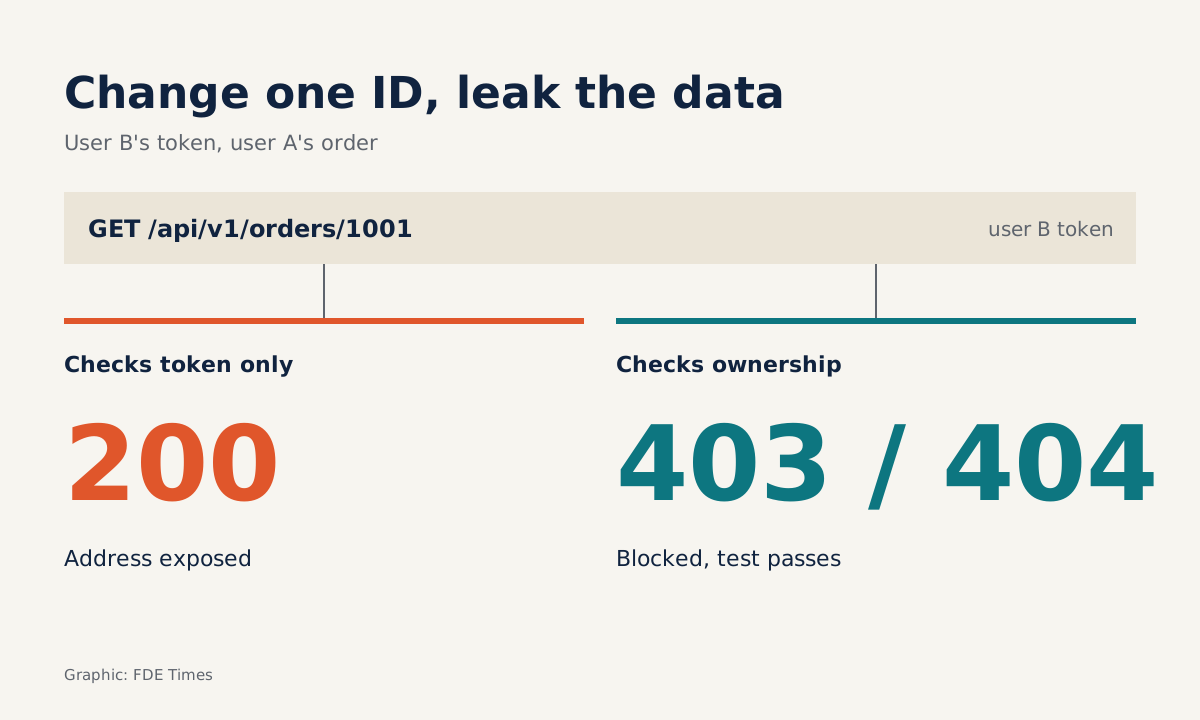
A GET /api/v1/orders/1002 request, sent with the token of a user who does not own order 1002, returns 200 along with the full delivery address. That is the entire attack.
OWASP ranks this flaw, Broken Object Level Authorization (BOLA), first in the API Security Top 10 2023, and describes its exploitation in exactly those terms: an attacker only needs to manipulate the ID of an object in the request.
For an FDE, the week before the client’s security team starts pentesting the system you have just deployed is the most worrying stretch. Imagine they find BOLA in the first ten minutes: every discussion about features stops, and the trust you have built over weeks wobbles with it. So act as the pentester one step ahead of them.
This guide walks through a practical review session. By the end you will have an API inventory file, an automated BOLA test, a few commands for checking rate limits, error messages and SSRF, and a to-do list for the APIs your system calls out to.
What do you need before you start?
You need access to the staging environment (never test on production without the client’s permission), two test accounts belonging to two different users or tenants, plus curl and Python with the requests and pytest libraries. Keep the OWASP API Security Top 10 2023 table of contents open so you can tick off each item, API1 through API10, as a checklist.
The code below is illustrative and simplified. The endpoint /api/v1/orders/{id}, the variables TOKEN_A and TOKEN_B, and the host staging.example.com are placeholders; replace them with the client’s real system.
Step 1: do you know how many APIs you are exposing?
For API9 Improper Inventory Management, OWASP recommends that the first step is to inventory all API hosts and document the important details of each one. Nobody can protect an endpoint they do not know exists. Create an inventory file directly in the repo:
# api-inventory.yaml (illustrative)
- host: api.example.com
  env: production
  versions: [v2]
  auth: oauth2
- host: staging.example.com
  env: staging
  versions: [v1, v2]
  data: anonymized
Then go through each line with two questions. Is any old version still running? Curity is blunt: old API versions must not be left running. Is any non-production host holding real data? OWASP advises against using production data in non-production deployments.
Check: every host has a documented owner, environment and version. Imagine the staging host above still exposes v1, and v1 lacks the new authorisation checks. A pentester then has no need to attack v2; they simply use the back door.
Step 2: swap the ID and see whether the API blocks it
This is the most important step. Use user B’s token to read an object that belongs to user A:
# Order 1001 belongs to user A
curl -s -o /dev/null -w "%{http_code}\n" \
  -H "Authorization: Bearer $TOKEN_B" \
  https://staging.example.com/api/v1/orders/1001
The expected result is 403 or 404. If you get 200, you have found BOLA. OWASP recommends writing tests to evaluate the authorisation mechanism, so turn the manual command above into a test that runs in CI:
# test_bola.py (illustrative, simplified)
import os, requests
BASE = "https://staging.example.com/api/v1"

def test_user_b_cannot_read_user_a_order():
    r = requests.get(f"{BASE}/orders/1001",
        headers={"Authorization": f"Bearer {os.environ['TOKEN_B']}"})
    assert r.status_code in (403, 404)
Note the number 1001. If IDs increase sequentially, 1002 and 1003 are obvious guesses, which is why OWASP recommends random, unpredictable IDs. Even so, hard-to-guess IDs are only a second layer.
Curity stresses that object-level authorisation checks must be present in every function that accesses a data source, while the OWASP REST Security Cheat Sheet requires non-public services to enforce access control at every endpoint.
Check: repeat the test for every endpoint with {id} in its path, including PUT and DELETE.
Step 3: is the API key carrying too much weight?
Open the authentication configuration and look for endpoints protected only by a static API key. The OWASP Cheat Sheet warns against relying on API keys alone to protect sensitive, critical or high-value resources.
If an endpoint that exports customer data requires nothing more than an X-API-Key header, flag it in your report before the security team does.
Review the configuration in the same step. Curity advises against relying on default configuration. In practice, open each config file for the framework, gateway and server, and for every value nobody set deliberately, ask whether it really needs to be enabled in the client’s environment, as though you were reviewing someone else’s code.
Step 4: are your error responses saying too much?
Send a deliberately malformed request and inspect the response:
curl -s -H "Authorization: Bearer $TOKEN_A" \
  -H "Content-Type: application/json" \
  -d '{"quantity": "abc"}' \
  https://staging.example.com/api/v1/orders
The Cheat Sheet calls for generic error messages and for avoiding disclosure of failure details when it is not necessary. If the response contains a stack trace, table names or file paths on the server, you have handed the pentester a map.
The same command also tests validation. Bright Security treats input validation and sanitisation as the first line of defence, so "abc" should be stopped at the door by the schema with a clean 400 error.
Step 5: flood the endpoint and count the 429s
The Cheat Sheet recommends returning 429 Too Many Requests when requests arrive too quickly. Try it on the login endpoint, a favourite target for brute-force attacks:
for i in $(seq 1 50); do
  curl -s -o /dev/null -w "%{http_code}\n" \
    -X POST https://staging.example.com/api/v1/login \
    -d '{"user":"test","password":"wrong"}'
done | sort | uniq -c
A result of 50 401 means there is no limit at all, and an attacker can keep guessing passwords indefinitely. What you want to see is a few 401s followed by a switch to 429. Bright Security describes an API gateway as a single entry point for all API traffic, so if the client already has a gateway, that is usually the most sensible place for rate limiting.
Bright Security also recommends adding automated scanning to CI/CD, though bear in mind that the advice comes from a DAST tool vendor.
Step 6: what about the APIs your system calls out to?
API7 is Server Side Request Forgery (SSRF) and API10 is Unsafe Consumption of APIs, two items that are easy to miss if you only look at your own endpoints.
For SSRF, find every parameter that accepts a URL, such as webhooks or “import from link”, because that is where your server can be tricked into calling the client’s internal network. The simplest test is to supply a URL pointing at an internal address.
The /webhooks endpoint and the 10.0.0.5 address below are placeholders; replace them with a real internal host the client has authorised you to test:
# Illustrative: register a webhook pointing at an internal host
curl -s -w "\n%{http_code}\n" \
  -H "Authorization: Bearer $TOKEN_A" \
  -H "Content-Type: application/json" \
  -d '{"url": "http://10.0.0.5:8080/admin"}' \
  https://staging.example.com/api/v1/webhooks
What you want to see is the API rejecting the request immediately with a 400 error for an invalid URL.
If the API accepts the URL, and when the webhook fires you see the server actually calling that host, or the response leaks content from the internal page, you have found an SSRF path. Check: repeat with http://localhost and with every URL-accepting parameter you recorded in the inventory file.
For API10, Curity points out that developers often trust data from third-party APIs more than user input. Imagine your system pulls exchange rates or shipping information from a partner and writes it straight to the database. If the partner is compromised, malicious data enters your system without passing a single layer of checks.
The fix is to validate third-party responses against a schema, exactly as you validated the request body in Step 4.
How do three small flaws chain into a major incident?
The six steps above can suggest that each OWASP item is a separate box. Consider a scenario: staging still runs v1 (an inventory flaw, API9), v1 does not check order ownership (BOLA, API1), and staging has been loaded with a copy of production data so that tests feel “realistic”.
On its own, each flaw sounds minor: an old version, a non-production environment, a rarely used endpoint. Together, a single loop changing IDs from 1001 upwards on staging’s /api/v1/orders is enough to read real customers’ real addresses. Add a missing rate limit, as in Step 5, and the loop runs to completion without being blocked.
So when you record your review findings, do not just tick boxes. For each flaw found, ask: which other flaw does this open the way to, and which link, once removed, breaks the whole chain? In the example above, switching off v1 or deleting real data from staging is enough to break the chain even before you fix the authorisation code.
Common mistakes in a self-review
The most common mistake is testing with only one account. A single account will never reveal BOLA, because that user always owns the data they read. The second is reviewing only the latest version while v1 is still running on staging with real data.
The third is treating UUID-style IDs as an authorisation measure, when they only make IDs harder to guess.
How does this skill show up on a client site?
If the client requires its security team to review the system before it goes to production, an FDE who submits the inventory file, a BOLA test suite passing in CI and a table mapping all ten OWASP items with “checked, and how” can turn the pentest from a bug hunt into a confirmation exercise.
When reading job descriptions, look for phrases such as “work with customer security teams” or “security review”. On your CV, be specific, for example “wrote object-level authorisation tests for N endpoints, catching BOLA before the pentest”, rather than simply listing “familiar with OWASP”.
The client’s security team will read the OWASP Top 10 whether you do or not. The only thing you can choose is who finds the flaws first.
Was this article useful?
Thanks for the feedback!
6 sources
- OWASP API Security Top 10 2023 – Table of Contents
- API1:2023 Broken Object Level Authorization – OWASP API Security
- API9:2023 Improper Inventory Management – OWASP API Security
- Top 10 API Security Vulnerabilities (Curity) · 2023-06-13
- Top API Vulnerabilities and 6 Ways to Mitigate Them (Bright Security) · 2023-10-04
- REST Security Cheat Sheet – OWASP Cheat Sheet Series