The six chapters of Docker Deep Dive an FDE needs at a client site
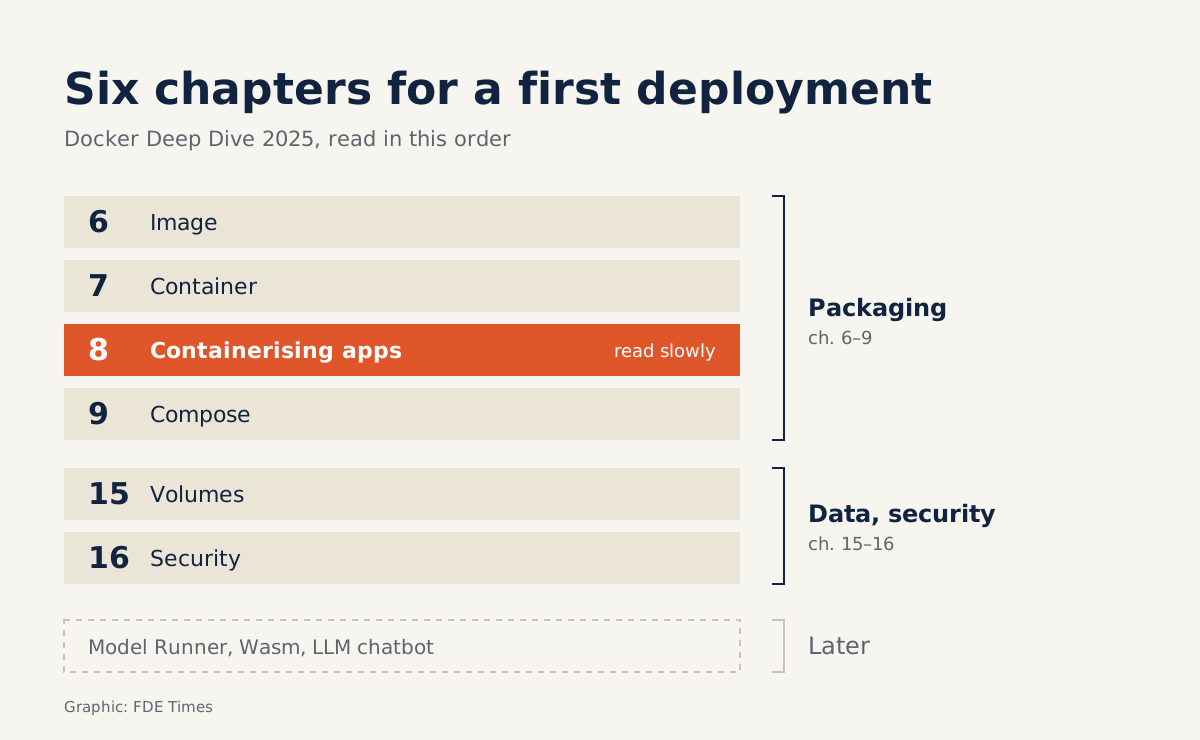
Read chapters 6 to 9 to package your software, then 15 and 16 to keep data safe and pass security review; the new LLM material can wait.
In brief
- Buy the 2025 edition on Leanpub, last updated on May 12th 2025. It adds Docker Debug, Docker Scout and multi-architecture images.
- Six chapters matter most: 6 to 9 for packaging, 15 and 16 for running safely on client systems.
- Save the 2025 edition's new LLM material for later; the chatbot it builds is still just a Compose app.
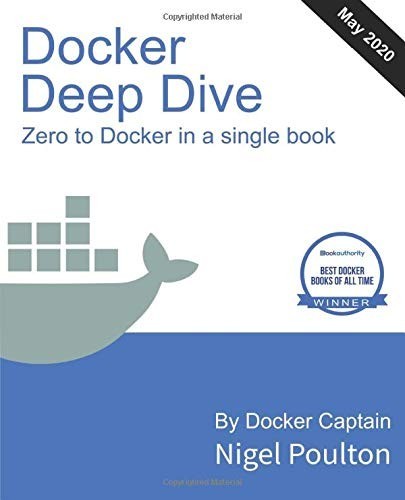
Nigel Poulton last updated the 2025 edition of Docker Deep Dive on May 12th 2025. It adds Docker Model Runner, for running LLMs on a local machine, and Docker Scout, for scanning images for vulnerabilities.
An introductory book on containers now includes a section on building an LLM chatbot with Compose. That detail shows how much deployment work has changed, and how the book has changed with it.
For an FDE, Docker is rarely something learned out of curiosity. The job is to carry software into an environment you do not control and make it run the first time. This book covers that, provided you know which six chapters to read first and which parts to leave for later.
Which edition to buy
The book currently exists in two lines. The second edition, published by Packt on July 20th 2023, runs to 266 pages and carries the subtitle “Zero to Docker in a Single Book”. Its introduction states plainly that readers need no prior knowledge of Docker.
The 2025 edition is sold on the author’s Leanpub page. On Apple Books it is distributed by his own company, Nigel Poulton Ltd, and runs to 262 pages.
Leanpub promotes it as the best-selling and most complete Docker book, aimed at beginners and experienced developers alike. The marketing deserves some skepticism.
Even so, the 2025 edition is the one to choose. It covers Docker Scout, Docker Debug and multi-architecture images that run on both x86 and ARM. All three apply directly to client work: scanning an image before handover, opening up a container that refuses to start, and building once for every kind of server.
The first four chapters teach packaging
In the 2025 table of contents, chapter 6 covers images, chapter 7 containers, and chapter 8 is “Containerizing an app”. Chapters 6 and 7 teach the basic operations any application needs in order to run. Chapter 8 teaches how to turn your own software into an image, and it is the chapter in the book to read most slowly.
Chapter 9 covers multi-container apps with Compose. This is the usual way to run an application alongside its dependencies at a client. Take an API service that also needs a database and a queue.
After chapter 8, a minimal Dockerfile for that API might look like this:
FROM python:3.12-slim
WORKDIR /app
COPY requirements.txt .
RUN pip install --no-cache-dir -r requirements.txt
COPY . .
USER 1000
CMD ["uvicorn", "main:app", "--host", "0.0.0.0", "--port", "8000"]
After chapter 9, all three components go into a single Compose file:
services:
  api:
    build: .
    ports:
      - "8000:8000"
    environment:
      DATABASE_URL: postgresql://app:app@db:5432/app
      QUEUE_URL: redis://queue:6379
    depends_on:
      - db
      - queue
  db:
    image: postgres:16
    environment:
      POSTGRES_USER: app
      POSTGRES_PASSWORD: app
    volumes:
      - dbdata:/var/lib/postgresql/data
  queue:
    image: redis:7
volumes:
  dbdata:
Without this file, you would have to send the client’s IT team a long page of instructions on startup order, environment variables and network ports. With it, everything comes down to docker compose up. The same file also becomes deployment documentation that the client’s operations team can read.
The 2023 edition orders its chapters the same way: images, containers, containerization, Compose, and only then networking, volumes and security. According to Hoopla, it also covers Swarm and stacks. If the goal is to get software running on a specific client’s machine, both can wait.
Data and security are where things break
Chapter 15 covers volumes and persistent data; chapter 16 covers Docker security. Sitting near the end of the book, both are easy to put off. But at a client, if a container restarts and the client’s data disappears with it, no demo, however polished, will survive.
The volumes line for the db service in the Compose file above exists for that reason. On security, the client’s security team usually wants to know what your image contains before letting it run on the internal network. Docker Scout, new in the 2025 edition, gives you the answer before they ask.
Three mistakes to avoid before shipping an image
The first is building only for your own machine’s architecture. Your laptop may run ARM while the client’s servers run x86. The multi-architecture images covered in the 2025 edition spare you a wasted afternoon of debugging on site.
The second is forgetting a volume for the database. Test it on your own machine: delete the container, start it again, and check whether the data is still there. If it is gone, reread chapter 15 before you visit the client.
The last is shipping an image without scanning it for vulnerabilities. An attached Scout report turns the meeting with the security team into a review of a checklist rather than an argument.
Leave the new LLM material for later
The 2025 edition adds Docker Model Runner for running LLMs locally, Wasm containers and a multi-container LLM chatbot built with Compose. For an FDE working in applied AI, this section is tempting, especially when clients do not want data to leave their infrastructure.
It pays off only once the six chapters above are second nature, because in the end that chatbot is still a Compose app.
When reading FDE job postings, look for mentions of on-prem, customer environments or containerization. If they appear, do not just write “knows Docker” on your CV.
Instead, say that you containerized a service, ran it with a database using Compose and scanned the image before handover, with a link to a repo that proves it.
The book is thicker than what you need for your first week at a client, and that is a strength. The six chapters above are enough for a first deployment. The rest will be useful on the day a client asks about running an LLM inside their own infrastructure.
Was this article useful?
Thanks for the feedback!