When the ERP has no decent API: how FDEs integrate without inheriting the old system
The quickest way into a legacy system is usually the most expensive one to back out of, so choose your entry point before you write any code.
In brief
- Direct database access is the cheapest pattern to build and the most expensive to remove. Use it as a last resort, not the default.
- An anti-corruption layer keeps the legacy data model out of new code. The cost is extra latency and one more service to run.
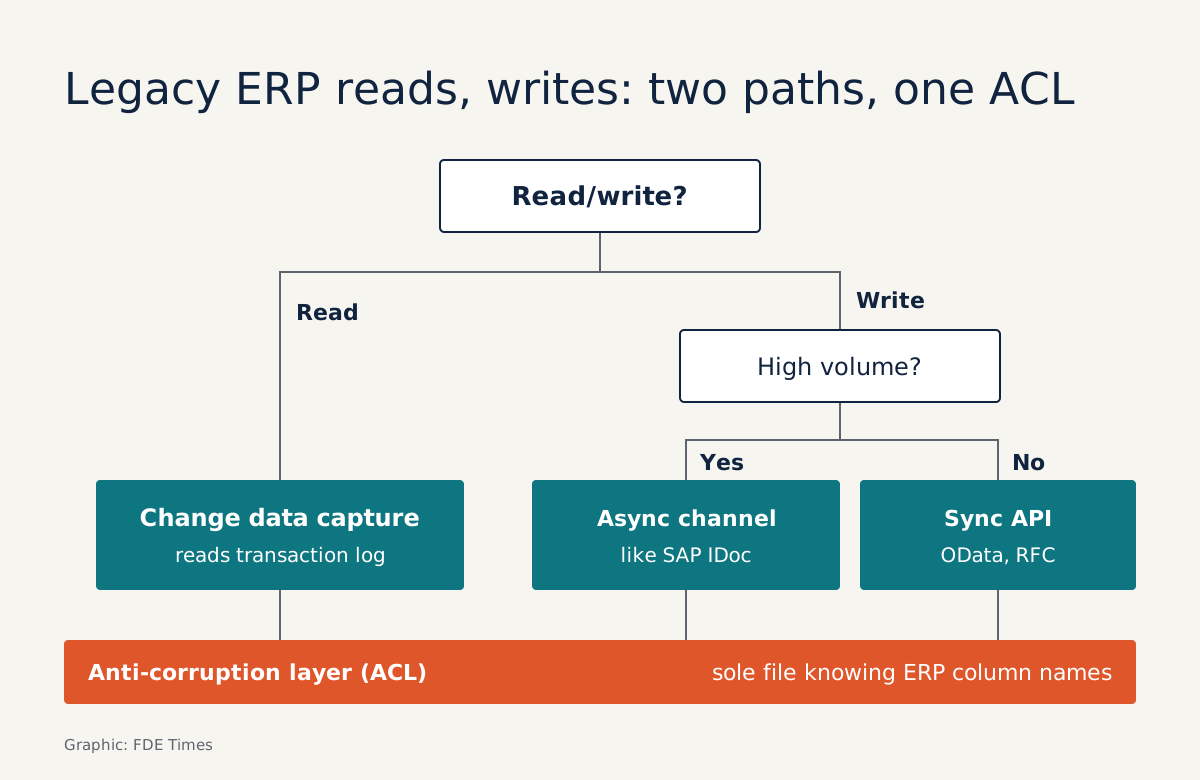
- Read through change data capture and write through an asynchronous channel that comes with error-handling tools. Use UI bots only when no other entry point is left.
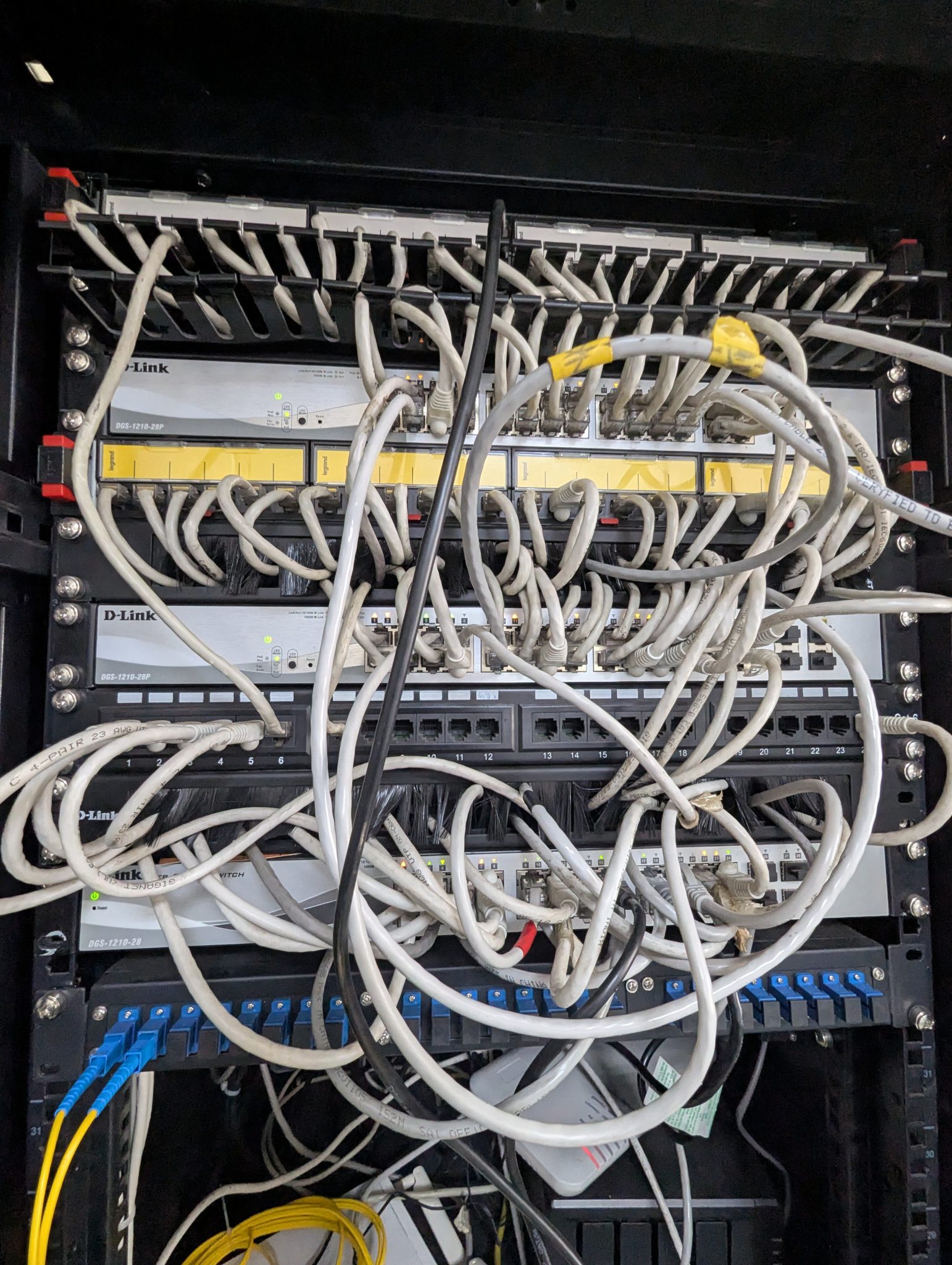
Picture your second week at a client’s factory. The agent needs to read purchase orders and create goods receipts, but the ERP is more than ten years old. Nobody owns the API documentation, and the database administrator is happy to give you an account that reads straight from the tables.
Almost every FDE ends up in this position, and the decisions made in the first few days stay with the project for a long time. Getting a connection working is not the hard part. The hard part is connecting in a way that survives an ERP upgrade eighteen months later without your product going down with it.
The easiest way in is usually the hardest way out
Microsoft’s architecture documentation sums up the problem: legacy systems often have messy schemas and outdated APIs. Support them naively and the new application ends up forced to adopt the old system’s semantics.
The clearest sign is lines like if STAT_CD == "02" showing up across the new codebase. Once that happens, your product is tied to the ERP.
That is why the database account deserves more suspicion than it first seems to. A Netguru analysis of legacy integration puts it plainly: direct database access is the cheapest integration pattern to build and the most expensive to remove. It is fast in a demo.
After that, every column change means another fix, and nobody tells you in advance.
The answer is not to refuse every shortcut. It is to list all the entry points first, then pick one for reads and a separate one for writes.
| Entry point | Suits | What it costs |
|---|---|---|
| Direct database reads/writes | A prototype built in a few days | Code tied to the schema, very costly to remove |
| Change data capture (reading the transaction log) | The read path when the legacy app cannot be changed | You must understand the log format of each database type |
| Asynchronous channel such as SAP IDoc | High-volume writes | No immediate result |
| Synchronous API (OData, RFC) | Lookups, single-record writes | Bound by the legacy system’s throughput |
| UI automation bot | When no other entry point is left | Breaks whenever the UI changes; failures are hard to diagnose |
Reads and writes need different entry points
Reads and writes carry different risks, so keep them apart. For reads, where the legacy application is built around its database and cannot be changed, Microsoft suggests either triggers on the database itself or change data capture reading the transaction log to push changes to the new service.
Of the two, change data capture is the better choice: because it reads the transaction log, you do not have to query or attach anything to the ERP’s business tables.
Writes are more sensitive, because a bad write to the ERP means wrong books. Take SAP as an example. An analysis on aixsap argues that IDoc suits high-volume asynchronous writes because it comes with built-in error reprocessing and monitoring, whereas OData is synchronous.
The same source notes that RFC is still in use but its scope is narrowing, and the caller has to install a separate connector.
The lesson goes beyond SAP: prefer the channel the client’s operations team already knows how to monitor. When a goods receipt gets stuck at 2am, they need a familiar screen where they can reprocess it. A script you left behind will not help them.
The translation layer: the only place that knows the old column names
Whichever entry point you use, the data has to cross a boundary. Microsoft calls it an anti-corruption layer (ACL): a translation layer that lets one system stay as it is without compromising the design and technology of the other. Netguru’s definition is shorter: an ACL keeps the legacy system’s data model out of new code.
Below is an example for purchase orders. The column names are made up, but the data will look familiar to anyone who has worked with an ERP: numeric status codes, supplier codes with leading zeros, amounts stored in the smallest currency unit, dates stored as strings.
# acl/purchase_order.py — the ONLY file allowed to know the ERP's column names
from dataclasses import dataclass
from datetime import date, datetime
from decimal import Decimal

class UnknownLegacyValue(Exception):
    pass

@dataclass(frozen=True)
class PurchaseOrder:            # the new application's model
    order_id: str
    supplier_id: str
    amount: Decimal
    due_date: date
    status: str                 # "open" | "approved" | "cancelled"

STATUS_MAP = {"01": "open", "02": "approved", "09": "cancelled"}

def from_legacy(row: dict) -> PurchaseOrder:
    code = row["STAT_CD"]
    if code not in STATUS_MAP:
        # stop immediately, do not guess
        raise UnknownLegacyValue(f"STAT_CD={code!r} PO={row['PO_NO']}")
    return PurchaseOrder(
        order_id=row["PO_NO"].strip(),
        supplier_id=row["VEND_CD"].lstrip("0"),
        amount=Decimal(row["AMT"]) / 100,
        due_date=datetime.strptime(row["DUE_DT"], "%Y%m%d").date(),
        status=STATUS_MAP[code],
    )
The code is short, but three things matter. The agent and every downstream service see only PurchaseOrder, never STAT_CD. An unknown status code raises a clear error instead of quietly falling back to a default. And when the ERP is replaced, you rewrite exactly one file.
An ACL is not free. Microsoft is explicit that the layer adds latency and is one more service you have to manage and maintain. When the legacy system is slow, the ACL can run asynchronously and be driven by events: the new business logic no longer waits on the old system’s pace, because data is translated via messages.
This works well for high-volume flows or where the two systems need to be fully decoupled.
Five steps on site
Start with an inventory. List every entry point, as in the table above, and record who owns each one and how it reports errors. The question to put to the client is “when this sync breaks, who gets alerted and where do they look?”, not just “is there an API?”.
Next, separate the read path from the write path and choose an entry point for each. Favour change data capture for reads and an asynchronous channel with monitoring tools for writes. The third step is to write the ACL before writing features, with a test for every unexpected value you find in real data.
The fourth step is to plan for gradual replacement. Martin Fowler describes how he and his colleagues chose incremental modernisation over a single rewrite. The Strangler Fig pattern uses a facade, in other words a proxy, that intercepts requests to the legacy system and routes them either to the old application or to a new service.
But Microsoft also cautions that the pattern does not fit when requests to the back end cannot be intercepted, which is common with closed ERPs. In that case, the sensible choice is to fall back on change data capture for reads and accept slower progress on writes.
The last step is to record the decision: which entry point, why, and what cost you accepted. Whoever takes over from you will need that document more than anything else.
The familiar traps
The first trap is letting the demo shortcut become the real architecture. The direct table query written in week one can still be there at go-live, simply because nobody had time to go back and fix it.
The second trap is treating a UI bot as “integration”. Workato warns that such bots break easily when the application’s interface changes. Activepieces points to a more important difference: an API returns a status code that says exactly why a process failed, while a bot is only guessing where the button is.
If you have to use a bot, put it behind the ACL so you can replace it without touching anything else.
The third trap is optimistic translation. Assigning a default to a status code nobody understands is the quickest way to get an agent confidently doing the wrong thing on a client’s real data.
When you read an FDE job description, phrases like “integrate with customer ERP” or “legacy systems” refer to exactly this work. On your CV, do not just write “SAP integration”. Say which entry point you chose, why, and how you handled sync failures.
This week’s exercise goes beyond the read path: write the inverse function, to_legacy, for the entity you translated, then write a round-trip test. Take a real record, translate it into the new model, translate it back, and compare every field with the original.
Any mismatch, such as leading zeros in supplier codes, currency units or date formats, is exactly where the write path would corrupt the client’s books if you did not catch it first.
Was this article useful?
Thanks for the feedback!
7 sources
- Anti-Corruption Layer Pattern - Azure Architecture Center | Microsoft Learn · 2026-05-28
- Strangler Fig Pattern - Azure Architecture Center | Microsoft Learn · 2026-05-29
- Strangler Fig (Martin Fowler bliki) · 2024-08-22
- Legacy system integration: when to wrap a system instead of replacing it · 2026-09-15
- RPA vs API Integration Explained: Which One Should You Use? · 2026-03-21
- Rebuilding Automation Anywhere Screen-Scraping Bots · 2026-09-21
- SAP Integration: RFC, OData, REST or IDoc? · 2026-06-09