ChatGPT Prompt Engineering for Developers: 100 minutes to call an LLM from code
A short course from 2023 is still the easiest place for an engineer to start turning a prompt into a testable function, and then taking that function to a customer.

In brief
- A DeepLearning.AI course made with OpenAI: most of the content is by Isa Fulford (OpenAI), presented by Andrew Ng; about 1 hour 40 minutes, basic Python only.
- The part worth keeping is the method: treat the prompt as code, improve it through iterations, then apply it to four kinds of work that recur at every customer.
- Finish it in one evening, then build a small project on real data to put on your CV.
The course runs about 1 hour 40 minutes, with 9 videos and 7 code examples. For an engineer who has never called a large language model from code, it may be the first time they leave the chat window. DeepLearning.AI’s ChatGPT Prompt Engineering for Developers teaches exactly that, and teaches it efficiently.
Leaving the chat window is a step every FDE has to take. At a customer, nobody pays you to be good at chatting. They need code that runs on their data, runs repeatedly and can be fixed when the output is wrong.
Who teaches it, and when did it come out?
The course page names two people. Isa Fulford is a Member of Technical Staff at OpenAI. Andrew Ng is the founder of DeepLearning.AI and co-founder of Coursera. According to I Programmer, Ng presents the course while the core content is Fulford’s, which means it was written by someone at OpenAI.
The course launched around late April or early May 2023. On 3 May 2023, a post on the OpenAI Developer Community forum said it had been out for only a few days. At launch, DeepLearning.AI and OpenAI made it free to take.
Three years is a long time in this field, so do not treat every line of sample code as the current API standard. What still holds is the way of thinking. The course page says it is aimed at beginners and needs only basic Python. DeepLearning.AI also writes that experienced machine learning engineers who want to approach the cutting edge of prompt engineering can benefit from it.
In what order does the course run?
There are nine lessons: Introduction, Guidelines, Iterative, Summarizing, Inferring, Transforming, Expanding, Chatbot and Conclusion, followed by a graded quiz. As I Programmer describes it, the course opens with two principles for writing prompts, moves on to refining prompts over several iterations, then covers four use cases and ends by building a custom chatbot.
That order makes sense, and you should follow it. If you jump straight to the Chatbot lesson because it looks appealing, you will miss Iterative, which is the lesson closest to FDE work.
The prompt lives in code, not in a chat window
According to the course page, the content covers best practices for prompting and how to use LLM APIs in applications. The second half is the part worth keeping. Once a prompt sits inside a Python function, it has inputs and outputs, and it can run on a thousand records rather than one.
Picture a customer with hundreds of support tickets a day. A chat-window demo only shows that the model can handle one ticket. A summarize_ticket(text) function shows whether it can handle all of yesterday’s. That is also what the customer will ask you.
Do not expect to get the prompt right first time
The course gives a whole lesson to refining prompts over several iterations. The practical lesson is that a prompt is something you tune gradually, not something you write once and finish. At a customer, this approach needs a fixed set of samples to compare across iterations.
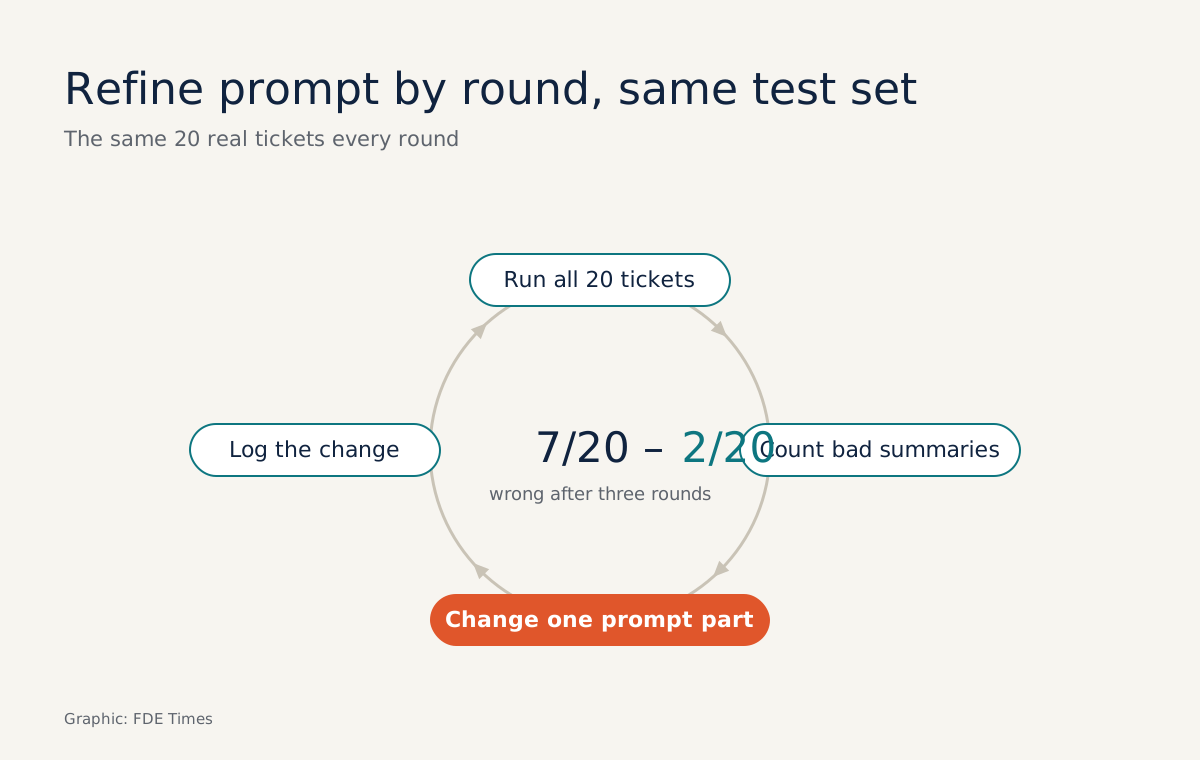
Take 20 real tickets as your test set. Suppose that in the first round, 7 summaries leave out the order number. You add an explicit instruction to the prompt and rerun all 20 tickets. Record the error count after each round and you will have a number to report rather than a feeling.
Where does prompt refinement usually go wrong?
The most common mistake is rerunning only the 7 broken tickets. They may now be fine, but the new instruction may have broken several summaries that were previously correct, and you will not know unless you rerun all 20.
The second mistake is changing several things at once: adding the order-number instruction, changing the tone and shortening the length, all in one round. Even if the error count falls, you will not know which change worked. Change one thing per round, and record it.
The third mistake is changing the test set midway. If the next round runs on 20 different tickets, the first round’s 7 no longer has anything to be compared with.
Four kinds of work you meet at every customer
The four lessons Summarizing, Inferring, Transforming and Expanding sound like exercises, but they correspond to requests you will meet again and again in deployment projects.
Stay with the support team example: summarising long tickets, inferring sentiment or issue type, converting text into another language or format, and expanding a few points into a draft reply to the customer.
In customer discovery, you can use these four types as questions: where in their workflow is someone currently reading in order to summarise, classify, convert or draft? The answer often gives you your first use case. The Chatbot lesson closes the course by building a custom chatbot from a language model.
Who should take it, and what next?
If you are a software engineer who has never called an LLM API, take this course before any course on agents or RAG. If you already know the API, you can skim the use-case lessons, but still work through Iterative carefully.
On a CV, a certificate from a 100-minute course says little. A concrete result says more, such as a line like “built an LLM API ticket-classification script, cutting errors from 7/20 to 2/20 over three rounds of prompt refinement”, with a link to the prompt change log on GitHub.
When reading job descriptions, watch for phrases such as “prototype with LLM APIs” or “iterate with customers”, because this course is the first step towards both.
The course takes an evening. The rest, running the prompt on real data and counting how often it is wrong, is up to you.
Was this article useful?
Thanks for the feedback!